Watching and replaying
Watch XARA’s screen while it works on a client, or replay a finished month step by step and read why each line was coded as it was.
You don’t have to watch. XARA works whether anyone is looking or not, and you’ll find the results in QuickBooks, in the client’s folder and in your inbox.
When you want to look, open the console in your browser. It shows XARA’s screens and its full account of each month. The pictures on this page are from Cottonwood Creek Mechanical LLC, our test company. Alpine Hearing Center and Juniper Street Dental are names we made up to stand beside it.
Opening the console
Ask about a client in the chat and press Open in console in the window that appears.
Show me Cottonwood Creek’s September run.
You sign in with your firm’s Microsoft account, the one you already use, and stay signed in for twelve hours. You see your own clients first, and a manager sees everyone’s.
All your clients at once
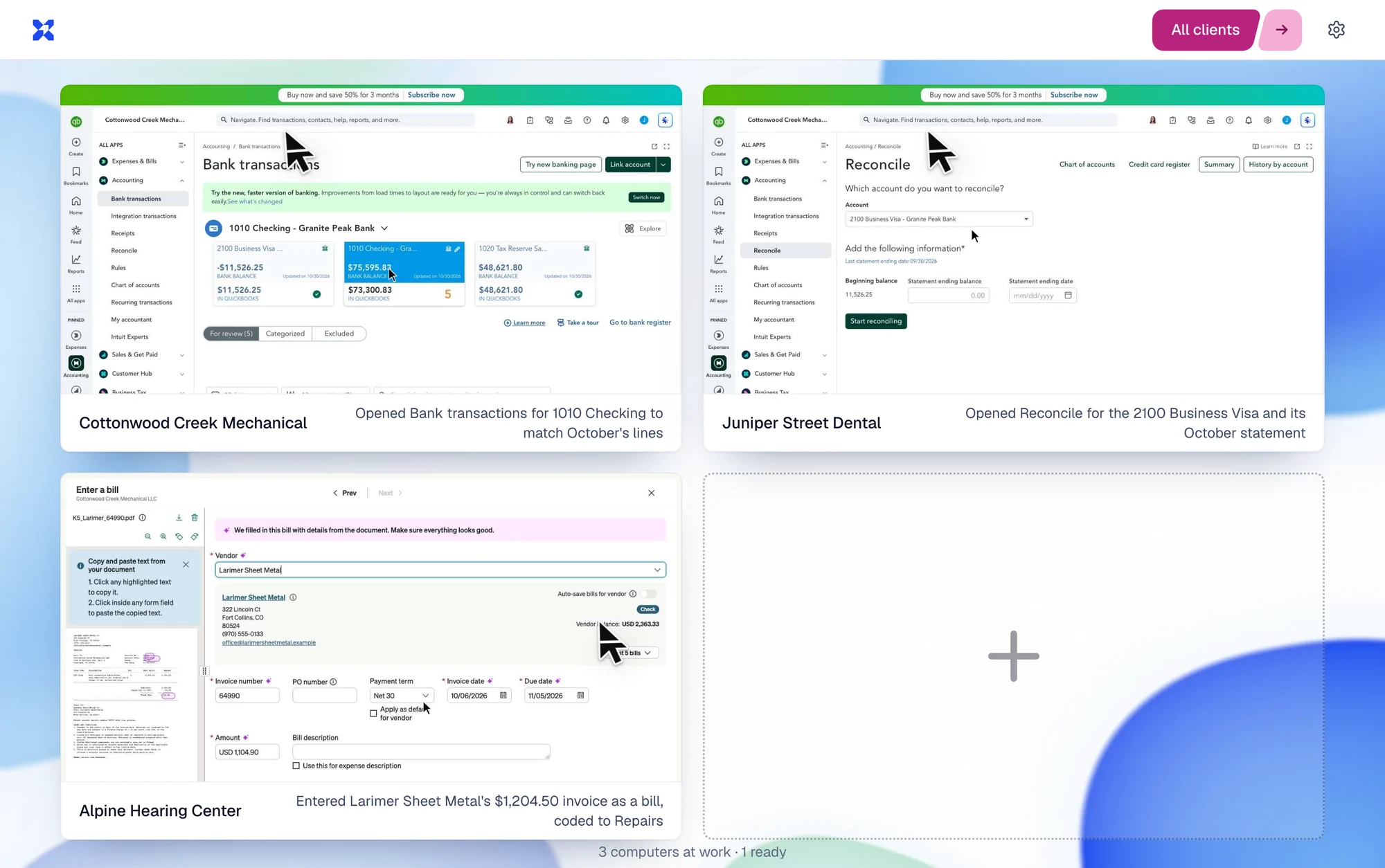
XARA works on each client on its own screen. The console shows them side by side, with a sentence under each saying what XARA did last.
Watching one client live
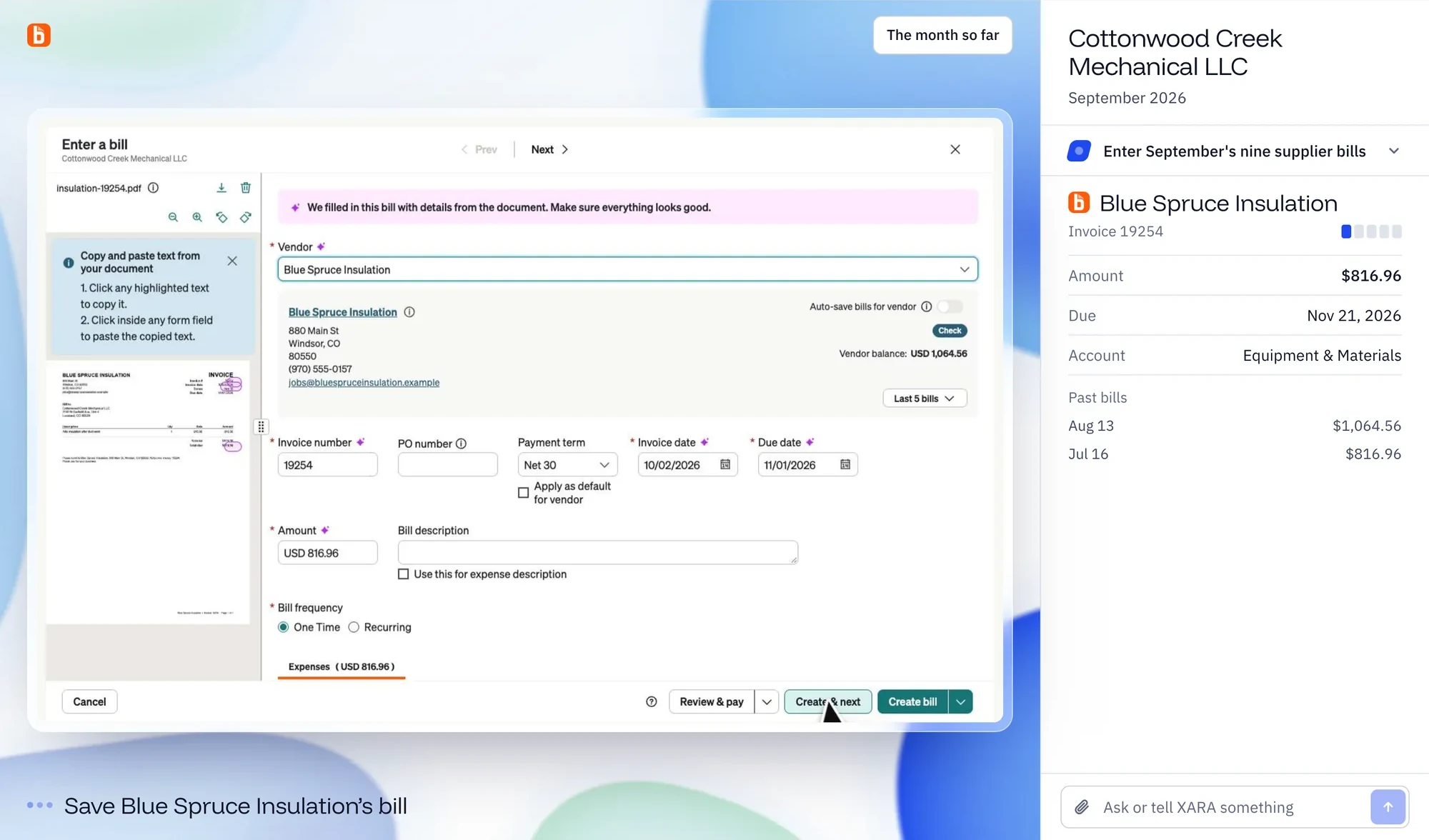
Open a client to see QuickBooks or BILL as XARA works in it, with its cursor on the page. Next to the screen, XARA describes the step it’s on and what it’s working on. You can type to XARA from here too.
Replaying a month
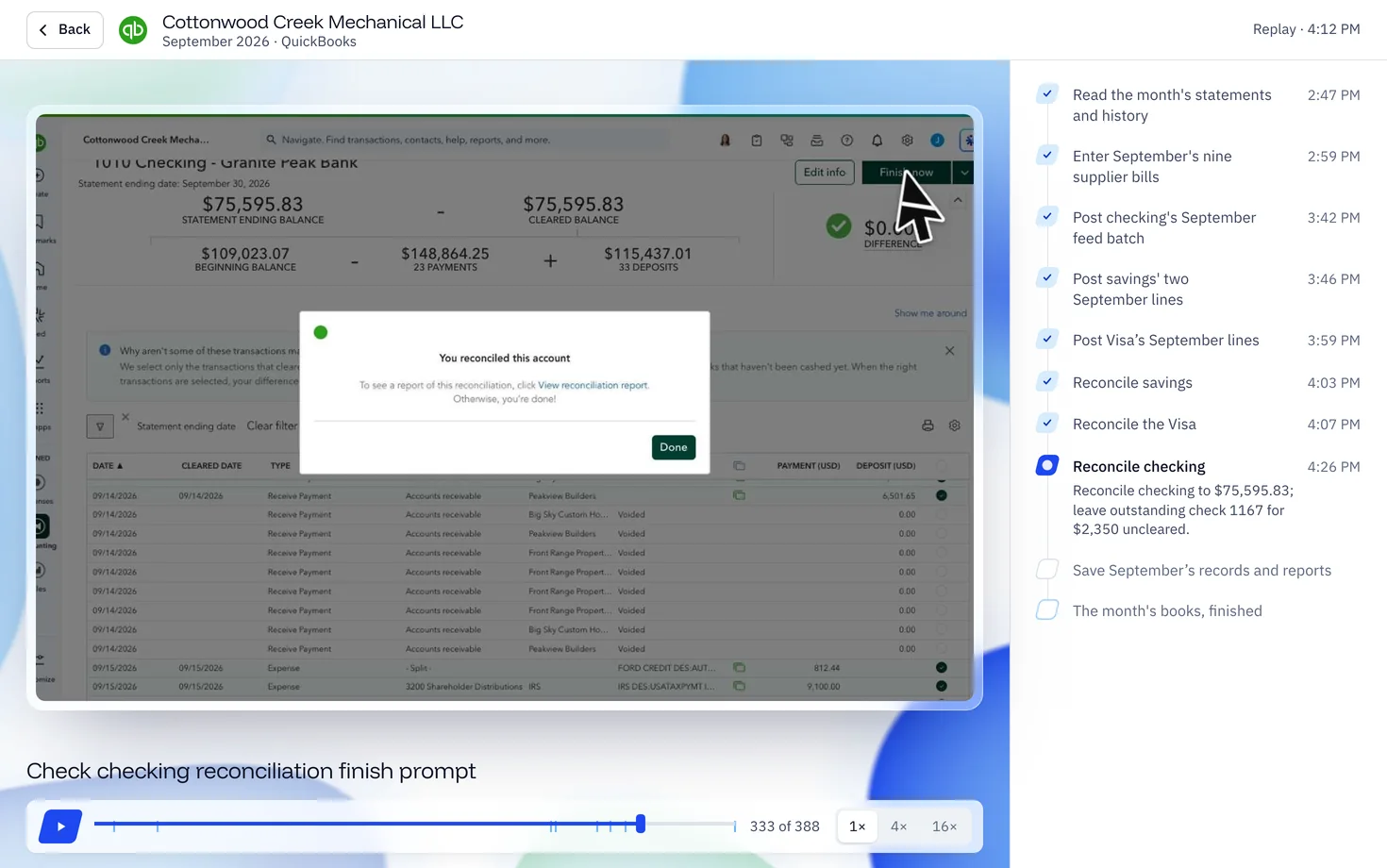
XARA saves each step of a month with a picture of its screen at that moment. Open a month and move along its timeline, or play it back at 1×, 4× or 16×.
Here is a real step from the test company’s September. At step 333 of 388, XARA reconciled checking to $75,595.83 and left check 1167 for $2,350 outstanding. You can stop there and read why.
The pictures stay for 120 days after a month ends, and the steps in words stay after that.
The month page
Each client’s month has its own page. It shows whether the month is finished and lists the transactions, accounts, bills, files and questions. Open any transaction to see what the bank said, how XARA coded it and why.
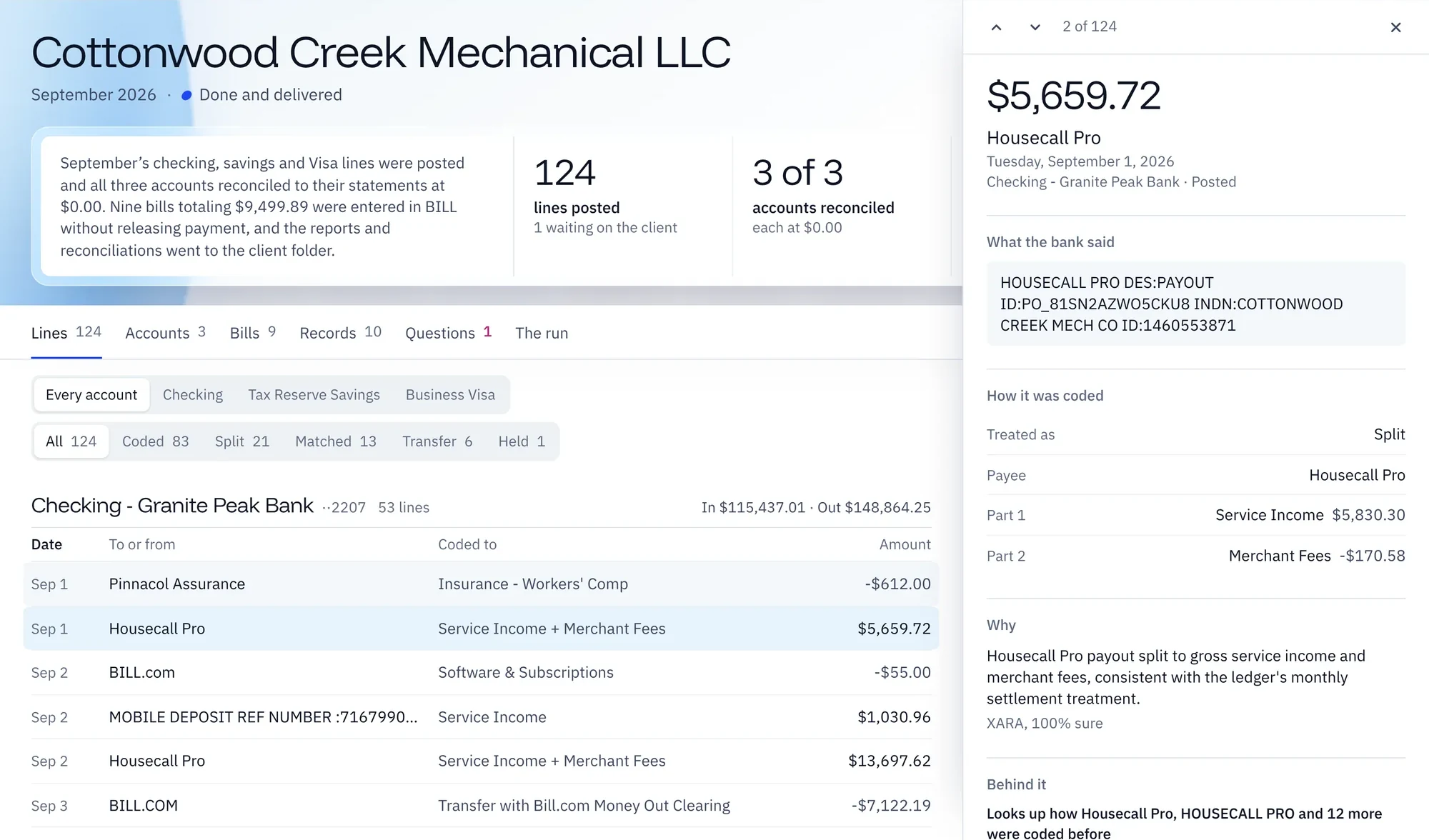
If someone at your firm asks why something was coded a certain way, this is where the answer is.
A demo company to try it on
Cottonwood Creek Mechanical LLC is in every firm’s console as the demo company. Anyone at your firm can replay its finished months and open its lines before XARA has worked on a client of yours. No one can start or stop work on it.
When a site won’t let XARA in
Nobody at your firm ever has to work XARA’s screen. If a site blocks XARA, someone at Proxara steps in from the console under their own name, clears it and hands the screen back.
Next, read Trust and approvals.